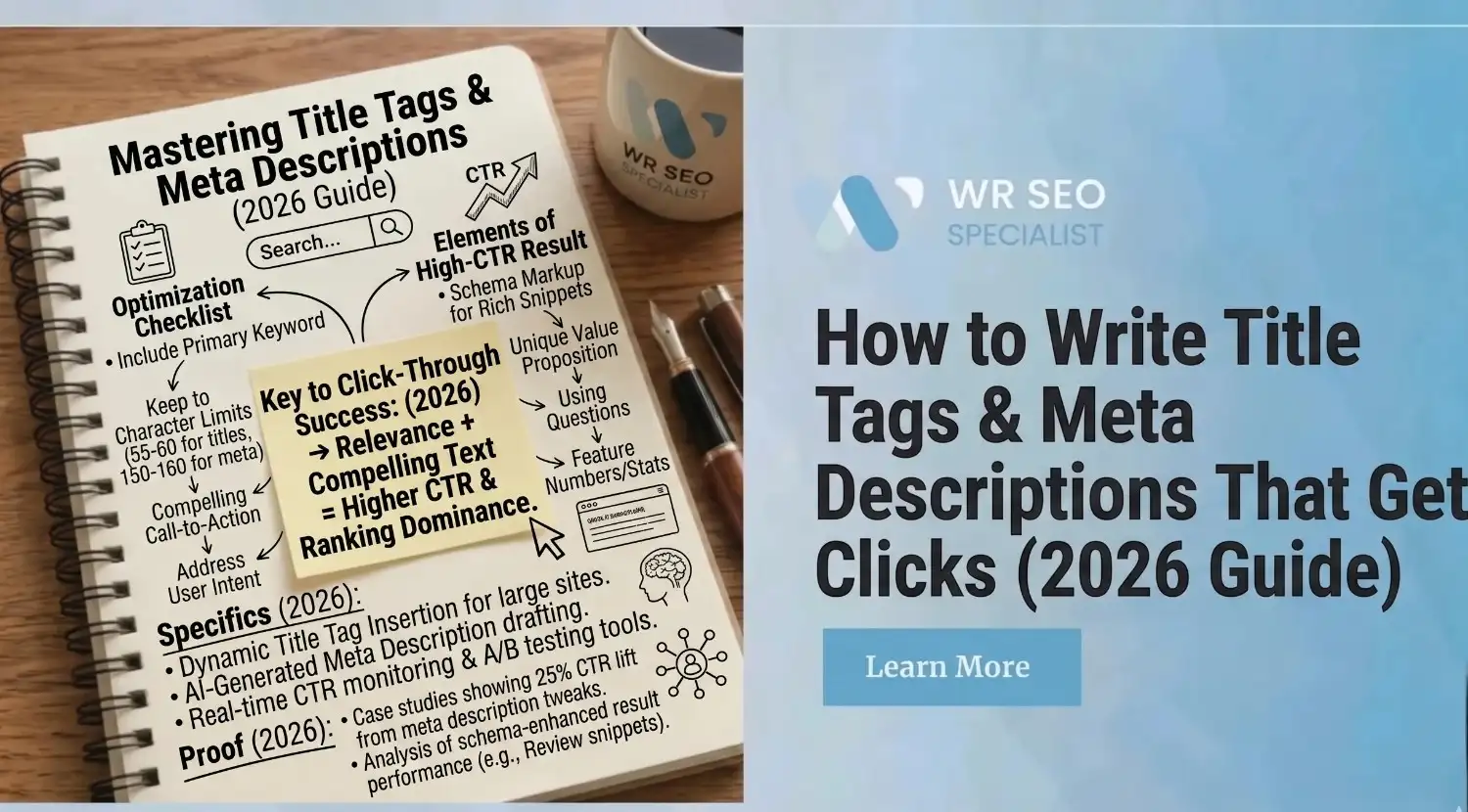
How to Write Title Tags & Meta Descriptions That Get Clicks
You put in the work. You researched the keyword, wrote the content, and finally landed a spot on page one of Google. Then you check your analytics, barely any clicks. What went wrong?
Nothing is more frustrating than ranking well and still getting ignored. The truth is, Google does not hand you the click. Your title tag and meta description do. They are the two lines of text a searcher reads before deciding whether your page is worth their time. And if those two lines are weak or forgettable, they scroll right past you, even if your content is the best on the page.
This is not just a technical conversation. It affects your click-through rate, how your brand appears in search results, and how well your on-page SEO supports the signals Google needs to trust your content. This guide shows you how to write smarter metadata, cut down on Google rewrites, and improve your clicks with a practical, repeatable process.
Why Titles and Meta Descriptions Still Drive Clicks
Your title and description are the storefront of your search result. Before a person sees your page, your content, or your offer, they see those two lines. A title that feels vague or generic tells the reader nothing. A description that reads like filler gives them no reason to choose you.
According to Backlinko, the first organic result on Google earns an average click-through rate of 27.6%. But here is what matters most: a lower-ranked page with a sharper, more relevant title can pull more clicks than the result above it. Metadata does not just support your ranking, it decides whether the ranking pays off.
What Google Actually Uses in Search Snippets Now
Here is something that surprises a lot of people: the title you write may not be the title Google actually shows.
Google can pull your title from different places, your written title tag, your H1 heading, anchor text from other pages linking to you, or content pulled from within the page itself. The same goes for descriptions. Google may ignore yours entirely and pull a snippet from whatever part of the page it thinks matches the query best.
According to Google’s official guidance on title links, the title shown in search results is generated to best represent the page for that specific search. This means your title tag is a strong recommendation, not a guaranteed display.
So what exactly is a meta title and meta description in SEO? The meta title is the HTML tag that names your page. The meta description is a short summary that may appear below it in search results. Both influence how your result looks, but neither is fully locked in. Your job is to write them specifically enough that Google has no reason to replace them.
How to Match Metadata to Search Intent Fast
The most common reason metadata fails is simple: it does not match why someone is actually searching.
Someone typing “how to write a meta description” wants to learn. Someone typing “meta description writing service” wants to hire. Someone typing “best meta description tool” is comparing options. Same general topic, completely different expectations. If your title and description treat all three the same way, you will miss the click every time.
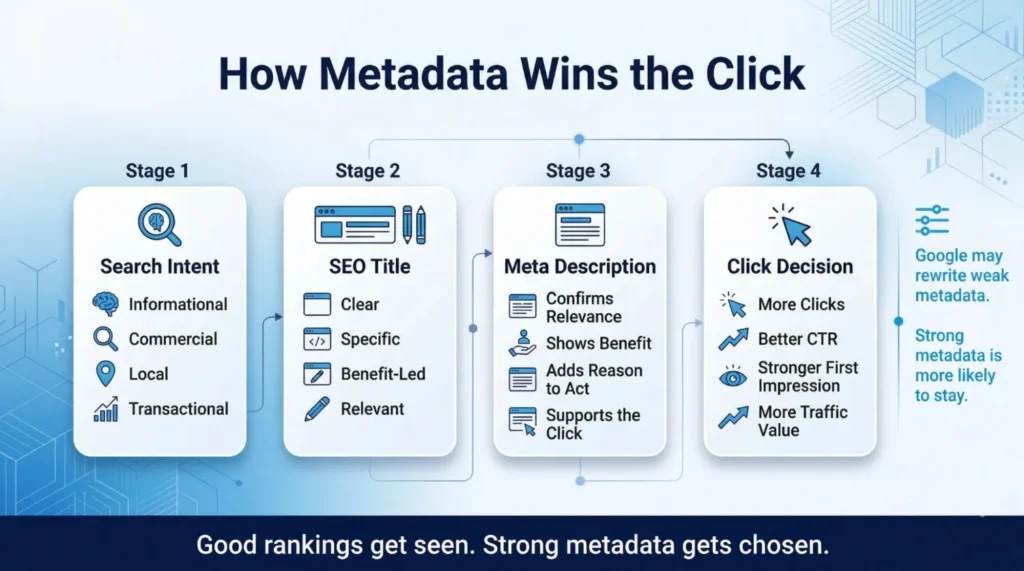
For informational searches, lead with clarity, tell the reader exactly what they will learn. For commercial or comparison searches, highlight what makes your page the most useful comparison. For local searches, mention the place and service together. For transactional searches, where someone is ready to act, use direct language and make the value obvious before they even click.
When your metadata matches the real reason behind a search, Google is more likely to keep your tags as written, and the person searching feels like your result was made for them, not a generic page that happened to rank.
Write Page Titles That Stand Out in Crowded SERPs
A good title is not just a page label. It is a short, clear statement that tells someone exactly what they will get, and why your page is worth opening.
Start with your primary keyword, placed naturally toward the front. Then add something specific: a number, an outcome, or a time frame. “How to Write a Meta Description” is fine. “How to Write Meta Descriptions That Actually Get Clicks” is better. “5 Meta Description Formulas That Improve CTR Fast” is more specific and gives a concrete reason to click.
Stay clear of clever. A creative title that hides what the page is about will hurt your CTR even if it sounds smart. Avoid starting every title with your brand name, it takes up space that could show value instead. Keep titles under 60 characters to avoid being cut off in search results.
Here is a quick contrast. A weak title reads: “SEO Guide, Brand Name.” A strong title reads: “How to Write Title Tags That Get More Clicks in 2026.” The second one tells you what you will learn, signals it is current, and gives a reason to open it.
How to Write Meta Descriptions That Earn the Click
Your meta description does not affect your ranking position, but it directly affects whether people choose your result. That makes it one of the most important pieces of writing on a page.
A strong description does four things at once. It confirms relevance; the reader can see this page is about what they searched. It highlights a real benefit, not a vague promise, but something specific they will get. It gives a reason to act now. And it ends with a quiet nudge toward the click, whether that is “see the full breakdown,” “read the guide,” or “check the updated list.”
Write your description for the person scanning five results, not for a search engine. “Find out more about SEO” says nothing. “This guide covers five proven meta description formulas with real examples, easy to apply in under ten minutes,” tells them the format, the depth, and the time commitment before they even click.
What Meta Description Length Really Means in 2026
The standard advice is 150 to 160 characters. That is a reasonable starting point, but it is not a rule to stress over.
According to Google’s snippet guidance, the length of the snippet shown depends on the device, the query, and what Google decides to display for that specific search. On mobile, descriptions often get cut shorter. On desktop, they may run a bit longer. Google can also extend or trim snippets dynamically based on the query.
The practical approach: put your most important message in the first 120 characters. Everything after that is supporting detail. A short, weak description will always perform worse than a slightly longer one that gives the reader a genuine reason to click. Write for the reader first, then check the character count.
How to Reduce Google Rewrites of Your SEO Title
A 2022 analysis by Search Engine Journal found that Google rewrites title tags in more than 60% of cases. That means the majority of titles written by site owners are being replaced. The reason is almost always the same: the title does not serve the searcher’s actual needs well enough.
The most common triggers are titles that are too vague, duplicated across pages, built from boilerplate templates, using outdated dates, or simply not matching what the page actually covers.
The fix is always the same: make each title specific to its page, honest about its content, and useful to the person searching. Titles that serve readers almost never get replaced.
Align Title Tags, H1s, and On-Page Messaging
Your title tag does not work alone. It is the opening promise of a page, and everything that follows needs to back it up.
If your title says “Best Running Shoes for Flat Feet” but your H1 reads “Running Shoe Reviews” and your intro talks about general sneaker trends, the page feels disconnected. The reader who clicked expecting flat-foot shoe advice will leave quickly. Google notices this pattern, it is one of the core reasons rewrites happen.
Strong on-page SEO treats the title, H1, intro copy, and call to action as one connected message. The title sets the expectation. The H1 confirms it. The intro delivers on it. The CTA points to the next step. When all four align, the page feels purposeful, and the reader stays longer. That alignment is one of the most overlooked upgrades you can make to any page that ranks but does not convert.
Use Search Console to Find Low-CTR Pages First
Before rewriting metadata across your site, figure out which pages actually need it. Google Search Console removes the guesswork.
Go to the Performance report and sort pages by impressions. Then add CTR to the view. A page with high impressions but low CTR is visible in search but not earning clicks, that is a metadata problem. The page is showing up, but the title or description is not convincing people to choose it. That page is your priority.
A page with low impressions and low CTR is a ranking problem, not a metadata problem. Rewriting the title will not fix that. According to the Search Console Performance report documentation, you can filter by page, query, and date range to isolate exactly where the disconnect is happening, making it the clearest tool for prioritizing your metadata updates.
Better Formulas by Page Type: Local, Blog, Ecommerce
Different pages attract different types of searchers. Here is what works by page type:
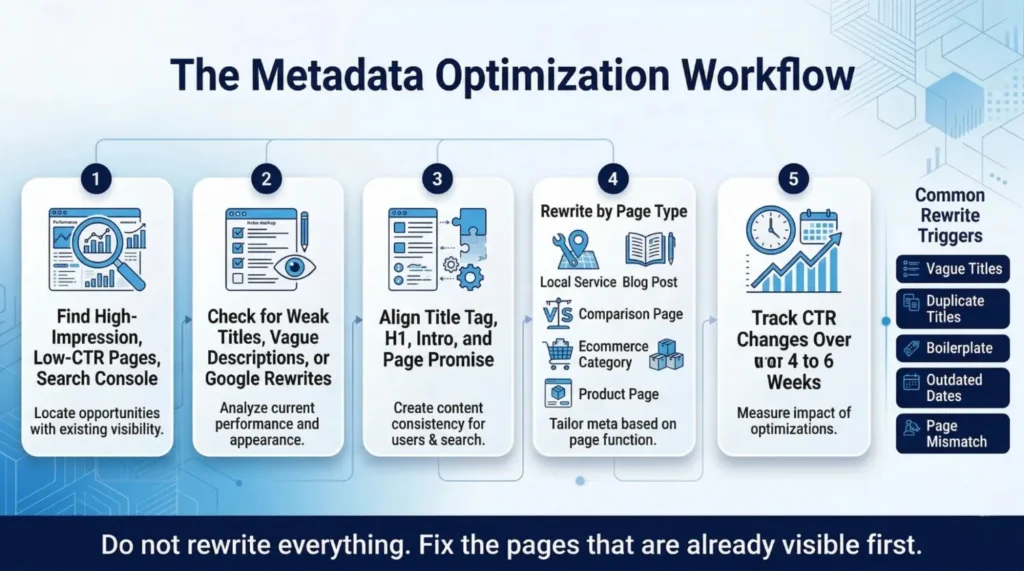
- Local service page: “[Service] in [City] | [Key differentiator]”, Description: include a trust signal like response time or years of experience, plus a clear CTA.
- Blog post: Lead the title with a number or outcome. Description should explain what the reader will learn and why it matters right now.
- Comparison page: Title names both options. Description promises a clear, honest side-by-side breakdown without hype.
- Ecommerce category page: Title includes the product type and a reason to shop here. Description highlights variety, price range, or delivery benefit.
- Product page: Title includes the product name plus one key detail. Description leads with the top benefit and closes with what makes it the right pick.
If you run an online store, your category and product metadata directly shape whether searchers click through or move on.
How Squarespace and Yoast SEO Meta Settings Work
If you use Squarespace, adding metadata is done through page settings. Open a page, go to the SEO tab, and you will find fields for the SEO title and meta description. Squarespace also lets you set site-wide title templates for keeping consistency without editing each page manually.
If you use WordPress with Yoast SEO, every page and post has a snippet editor at the bottom of the editor screen. You can enter your SEO title and meta description directly there, with a live character count and a preview of how your snippet might look in search results. For large sites, Yoast’s template settings let you apply default title formats to entire post types at once.
Both tools make the technical side easy. The work is always in writing metadata that earns the click.
Why Meta Keywords No Longer Help SEO Performance
Meta keywords used to tell search engines what a page was about. Google officially stopped using this tag in 2009. Adding them today has zero impact on rankings. In some cases, filling in meta keywords reveals your keyword targets to competitors without giving you any benefit in return.
Time spent on meta keywords is time taken away from what actually works: stronger titles, better descriptions, clearer intent matching, and higher page quality. If you see advice telling you to fill in meta keywords, it is outdated. Skip it entirely.
Common Metadata Mistakes That Kill Web Visibility
Most metadata problems fall into a short, repeating list. Duplicate titles across multiple pages confuse search engines and dilute authority. A vague copy that says nothing specific gives readers no reason to click. Clickbait titles that overpromise increase bounce rates and push Google to rewrite your tag. Keyword stuffing, repeating the same phrase two or three times in one title, looks manipulative and makes the listing harder to read. Writing for an algorithm instead of an actual person produces copy that occasionally ranks but rarely earns the click.
The rule is always the same: be specific, be honest, and write for the real person searching.
Test, Measure, and Improve CTR Over Time
Metadata is not a one-time task. Search behaviour shifts, competitors update their listings, and seasons change what people look for. A title that worked well six months ago may be underperforming today.
Use Search Console to track CTR trends on your most important pages month over month. If impressions stay steady but CTR drops, check whether a competitor updated their snippet or whether Google started rewriting yours. Run small tests, update one page’s title or description and track performance over four to six weeks. Treat metadata as an ongoing system, not a setup step you complete once and forget.
Final Metadata Checklist for SEO Optimization
Before any page goes live, or gets updated, run through this list:
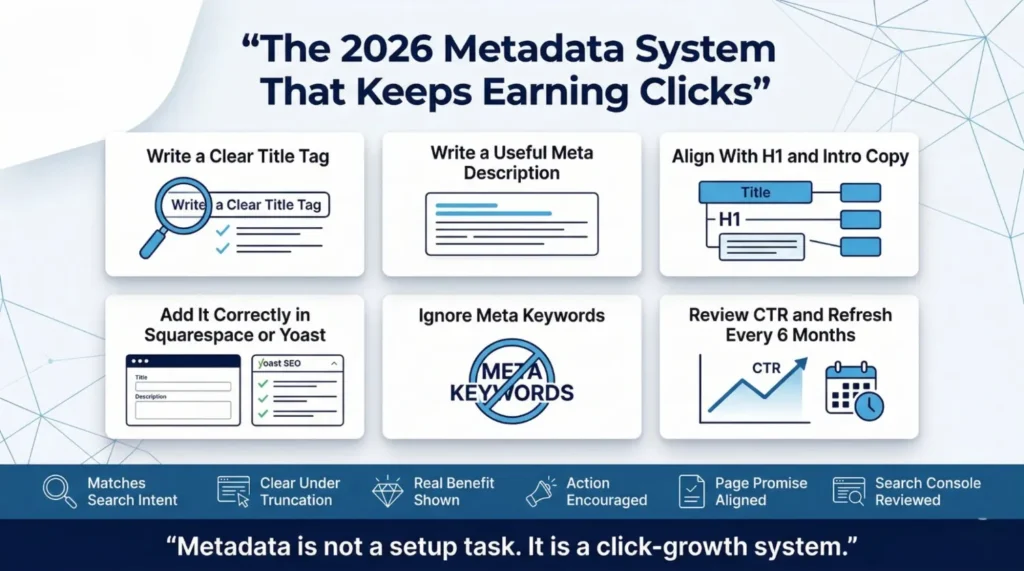
- Does this title match the search intent behind the primary keyword?
- Is the title specific, clear, and under 60 characters?
- Does the meta description highlight a real benefit and end with an action?
- Is the H1 aligned with both the title and the intro copy?
- Have you checked Search Console to confirm this page has a CTR problem worth fixing?
- Has this page’s metadata been reviewed in the last six months?
Better metadata improves visibility only when it also improves the click decision. Ranking without clicks is a missed opportunity. Every page on your site deserves a title and description that earns its position.
If you want hands-on help building a metadata system that improves rankings and click-through rates at the same time, WR SEO Specialist offers focused SEO support built around real results, not generic templates or copy-paste approaches.
Frequently Asked Questions
What is a title tag and meta description?
A title tag is the HTML element that sets the name of your page as it appears in search results and browser tabs. A meta description is a short summary shown below the title in search results. Together, they form the search snippet, the two lines a user reads before deciding whether to click your result.
How do I write a title and meta description?
Start your title with the primary keyword, then add a specific outcome, number, or benefit. Keep it under 60 characters. For the description, write one to two sentences that confirm relevance, highlight a clear benefit, and close with a reason to click. Write for the reader, not the algorithm, and match the intent behind the search rather than just the keyword itself.
How do I write strong title tags?
Place your primary keyword near the front. Add something that makes it specific, a result, a number, or a time frame. Avoid vague or generic labels. Keep the title under 60 characters to prevent truncation, and make sure it accurately reflects what the page actually covers.
What is an example of a good meta description?
Here is a strong example: “Learn how to write meta descriptions that improve CTR with five tested formulas, real examples, and a step-by-step checklist, easy to apply in under ten minutes.” It is specific, highlights a benefit, sets a time expectation, and invites the click without being pushy.
How do I find the meta title and description on a page?
Right-click any page and select “View Page Source,” then search for “title” or “meta name=description” to see what is currently set. Google Search Console also shows your titles and descriptions alongside real CTR and impression data, making it the most practical tool for finding and fixing metadata at scale.