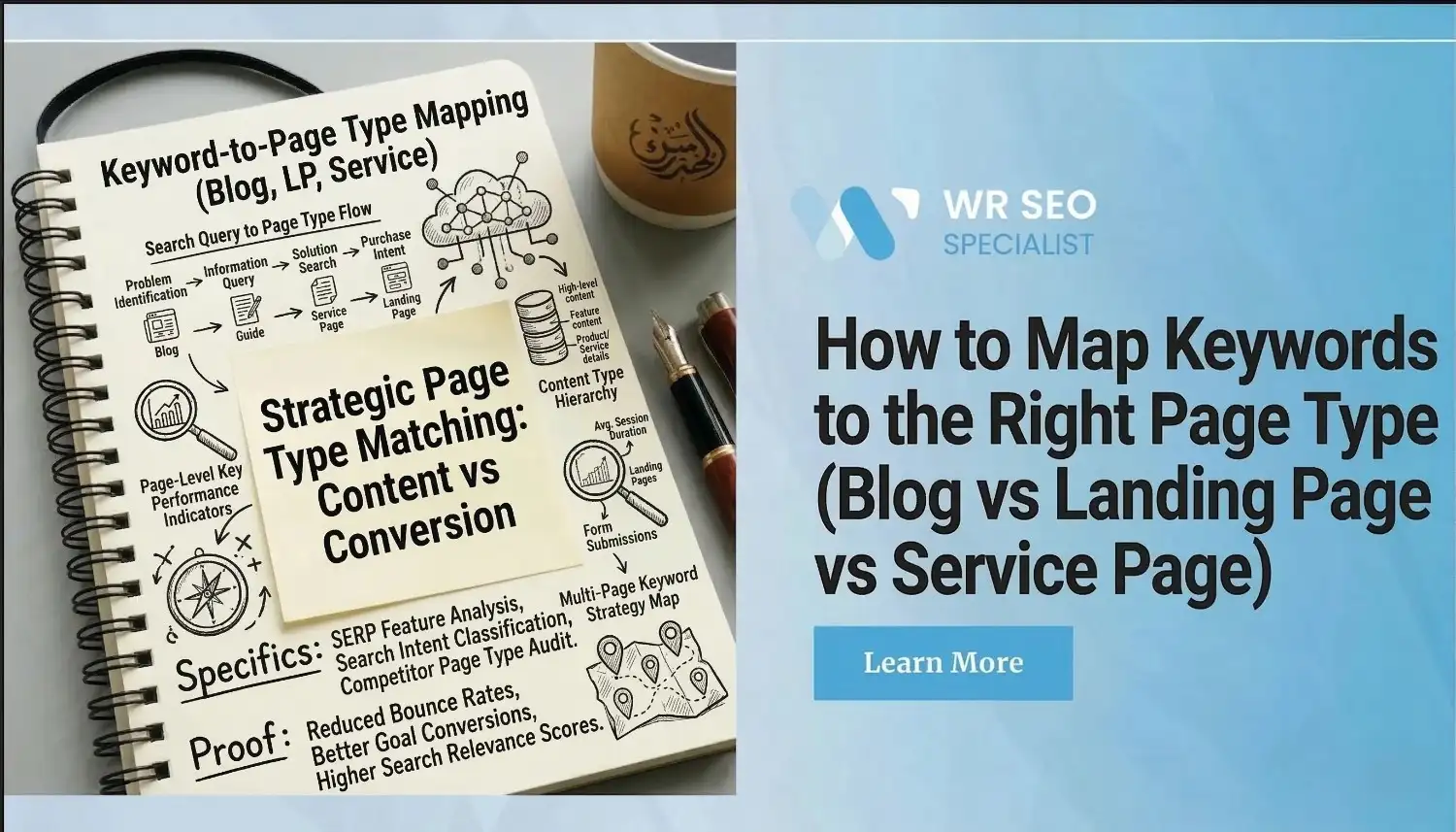
How to Map Keywords to the Right Page Type (Blog vs Landing Page vs Service Page)
A lot of pages do not fail because the keyword is weak. They fail because the page is wearing the wrong uniform.
This happens all the time. Someone finds a solid keyword, then forces it into a blog post, a landing page, or a service page without checking what the searcher actually wants. The keyword may be good. The page match is bad.
That is the part most guides skip. They explain intent, but they do not always show you how to map keywords to the right page based on the page’s real job.
This guide gives you a simple system. First, understand the keyword. Next, check what Google rewards. Then choose the right page type. That one change can save months of wasted writing, weak rankings, and pages that never convert. Google’s own SEO guidance is built around helping search engines understand your content and helping users decide whether your page is the right result for them.
What Keyword-to-Page Mapping Means and Why It Matters
Keyword-to-page mapping means matching the right keyword to the right page based on user intent, SERP layout, and business goal.
That matters because the same keyword can perform very differently depending on the page it lands on. If you map keywords to the right page, you usually get better rankings, a stronger click-through rate, more qualified visits, and fewer pages that sit idle. Search Console tracks clicks, impressions, CTR, and average position because those signals help you judge whether a page is earning attention and matching the search well.
A simple example makes this clear.
Bad match: using a blog for “book roof repair now.”
Better match: using a service page or landing page with a clear call button, service area, trust signals, and a fast next step.
Keywords, Search Intent, and Page Types Are Not the Same Thing
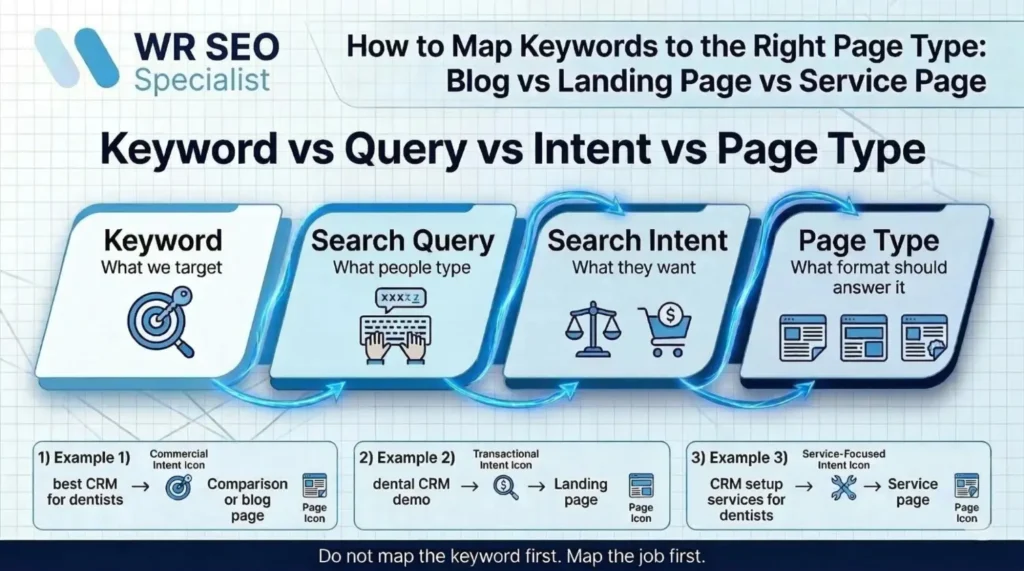
A keyword is what you target. A search query is what people actually type. Search intent is what they want. A page type is the format that should answer that need.
Those four things sound similar, but they are not the same. When people mix them up, they build weak SEO plans. They see a keyword, get excited by the volume, and skip the harder question: what kind of page should this become?
That is where mistakes start. Two keywords can look almost identical but still need different pages because the visitor’s next move is different.
The Three Main Page Types Most Businesses Need to Get Right
Most businesses need to get three page types right: blog pages, landing pages, and service pages.
A blog page is for learning and problem-solving.
A landing page is for one focused offer and one focused action.
A service page is for explaining a service, proving value, and helping a buyer choose you.
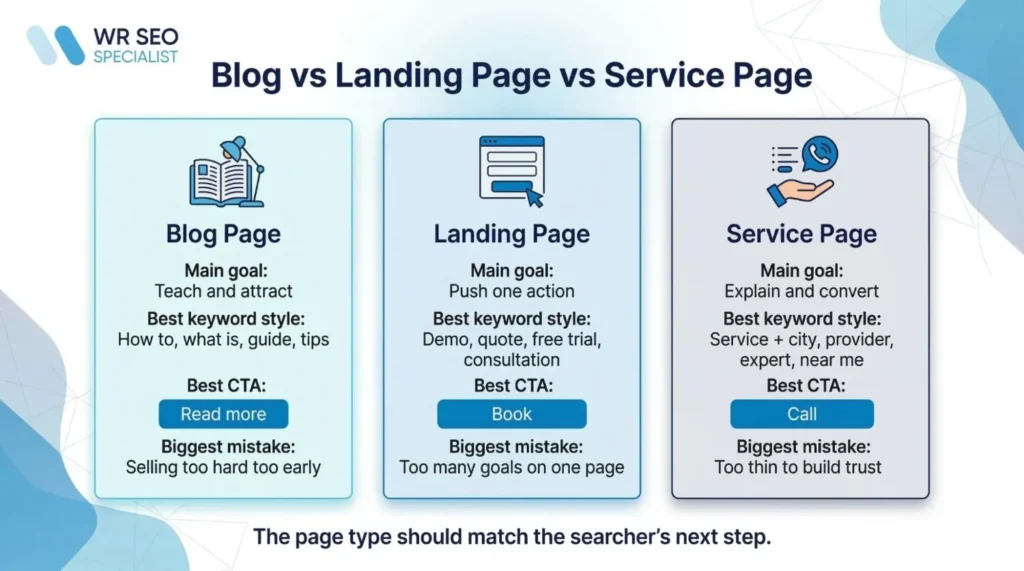
Here is the easiest way to compare them:
| Page type | Main goal | Best keyword style | Common CTA | Biggest mistake |
| Blog page | Teach and attract | how to, what is, guide, tips | read more, learn, compare | trying to hard-sell too early |
| Landing page | Push one action | demo, quote, free trial, download | book, claim, sign up | adding too many goals |
| Service page | Explain and convert | service + city, provider, expert, near me | call, request quote, contact us | keeping it too thin |
How Search Intent Decides the Right Page Type
Search intent should lead the decision, not your personal preference.
Informational intent usually fits a blog page because the person wants to learn first. Transactional intent often fits a landing page or service page because the person is ready to act. Commercial intent can lean either way. Sometimes it needs a blog-style comparison page. Sometimes it needs a tighter landing page. Navigational intent usually points to brand pages, contact pages, or service pages.
Google’s AI features guidance makes this even more important. The core advice is still the same: make content easy to find through internal links, give users a strong page experience, and make important content available in text.
The Missing Layer Most Guides Skip: Page Job vs Keyword Intent
This is the piece most people miss.
Intent tells you what the visitor wants. The page job tells you what the page needs to do.
A page may need to teach. Another may need to compare. Another may need to persuade, capture a lead, or book a call. If you stop at intent and skip the page job, you can still choose the wrong format.
Look at these three keywords:
“best CRM for dentists” likely needs a blog or comparison page.
“dental CRM demo” likely needs a landing page.
“CRM setup services for dentists” likely needs a service page.
The wording is related, but the page job is not. That is why page mapping works better when you combine keyword, intent, SERP, and business goal in one decision.
Blog vs Landing Page vs Service Page: How to Tell Fast
Use three quick tests.
Use the Learn Test
If the searcher wants information first, the page usually needs to be a blog.
Words that often hint at this include how, what, why, tips, guide, and examples. A blog page should answer clearly, then guide the reader to a useful next step.
Use the Action Test
If the searcher is ready to sign up, book, claim, or download, the page often needs to be a landing page.
Watch for words like quote, book, free trial, demo, consultation, and download. A landing page works best when it focuses on one audience, one promise, and one CTA.
Use the Service Fit Test
If the searcher wants a specific service and needs trust, process, proof, and FAQs, the page usually needs to be a service page.
Watch for words like service, company, agency, provider, expert, specialist, and near me.
How to Read the SERP Before You Choose the Page Type
Before you publish anything, search for the keyword and study the first page.
If Google shows mostly guides, build a blog. If it shows lead-gen pages, build a landing page. If it shows service pages from local providers, build a service page.
This is your SERP fingerprint check. Look at page titles, CTAs, page layout, SERP features, and depth. Google Search is built around discovering content, understanding it, and ranking the results that best fit the search. That means the current SERP is one of your best clues.
Ignoring the SERP is how people end up publishing the wrong asset for a good keyword.
How to Map Informational Keywords to Blog Pages
A keyword is blog-worthy when the reader needs clarity before action.
Common patterns include how to, what is, why, guide, tips, and examples. These keywords usually work best on pages that answer fast, explain clearly, and then move the reader toward a next step, such as a comparison page or service page.
A blog page should not stop at education. It should also build trust and gently point to what comes next. What it should not do is act like a hard sales page when the visitor is still early in the journey.
How to Map Offer-Driven Keywords to Landing Pages
A landing page is a focused page for one offer, one audience, and one action.
Keywords that often fit here include free trial, pricing, demo, quote, consultation, and download. These terms usually signal a narrow action, not broad research.
A landing page is often better than a service page when the offer is limited, the audience is highly specific, or one CTA matters more than everything else.
How to Map Buyer-Ready Keywords to Service Pages
Service pages are built for long-term organic search around a real service.
They are broader than campaign pages and usually need service details, process, proof, FAQs, and strong trust signals. Keyword patterns that fit here include service plus location, service provider, best service company, near me, and expert terms.
A strong service page usually includes:
- What the service is
- Who it is for
- How the process works
- Proof and trust signals
- FAQs
- A clear CTA
When One Keyword Could Fit More Than One Page Type
Some keywords sit in the middle. That is normal.
“SEO audit” could become a blog, a landing page, or a service page depending on the SERP, the business model, and the conversion goal. “Web design pricing” could work as a commercial blog page or a landing page.
The fix is context. Check the SERP. Check the funnel stage. Check what action you want. Then decide whether one page can do the job or whether it needs a separate asset.
This is also where cannibalization starts. Ahrefs defines keyword clustering as grouping keywords with the same or similar intent so one page can target them together, instead of creating multiple pages that compete with each other.
A Practical Keyword Mapping Framework You Can Repeat
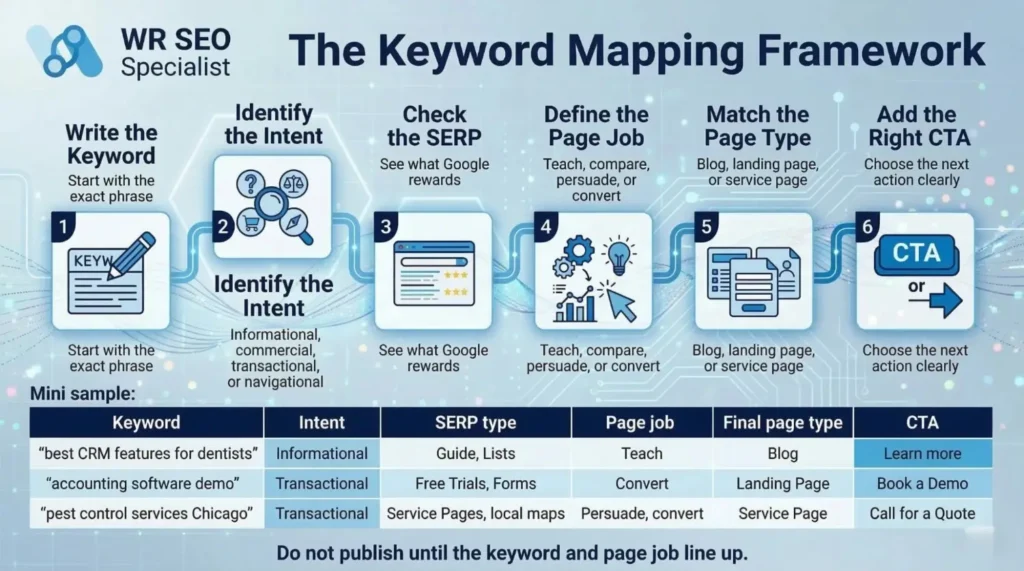
Use this framework every time:
- Write the keyword
- Identify the intent
- Check the SERP
- Define the page job
- Match the page type
- Add the right CTA
A simple sheet makes this easier:
| Keyword | Intent | SERP type | Page job | Final page type | CTA |
| accounting software demo | Transactional | lead-gen pages | capture lead | landing page | book demo |
This keeps your decisions clean. It also makes it much easier to explain the plan to writers, designers, and developers.
Common Mapping Mistakes That Hurt Rankings and Conversions
A few mistakes show up again and again.
- Turning every keyword into a blog post.
- Using landing pages for research-stage searches.
- Writing thin service pages for broad, blog-style topics.
- Creating multiple pages for the same intent.
- Choosing page type before checking Google.
The fix is simple. Slow down. Check intent. Check the SERP. Decide the page job. Then publish.
How to Turn a Keyword List Into a Smarter Site Structure
Good mapping is not only about one page. It is about how pages support each other.
A healthy structure looks like this:
- blog to service page
- blog to landing page
- service page to landing page
That flow creates a better path for users and a clearer structure for search engines. Google’s AI features documentation specifically calls out internal links and textual clarity as part of good optimization.
Think in systems, not isolated pages.
Real Examples of Keyword Mapping in Action
Here is what this looks like in real life.
- A legal site targeting “how child custody works” should likely build a blog page because the visitor needs education first.
- A home services company targeting “emergency plumber near me” should likely build a service page because the searcher wants fast action and trust.
- A SaaS company targeting “project management software demo” should likely build a landing page because the next move is clear.
- A local clinic targeting “teeth whitening cost” may need a landing page or service page, depending on whether the SERP leans informational or booking-focused.
- An e-commerce brand targeting “best carry-on luggage for international travel” likely needs a blog or comparison page, while “buy hard shell carry-on luggage” belongs on a category or product page.
How to Check If You Chose the Right Page Type After Publishing
After publishing, watch the numbers that matter.
Search Console gives you clicks, impressions, CTR, and average position. Those are your first signals.
Then check engagement and leads. If a page ranks but does not convert, the page type may be wrong. If impressions are growing but CTR is weak, your title or format may not match the SERP. If users land and leave fast, the page may not satisfy the query.
Rework the page when the topic is right, but the format is wrong. Create a new page only when the keyword really needs a different page job.
Final note
You do not need dozens of pages to get this right. You need the right pages doing the right jobs.
When the keyword, intent, page job, and CTA line up, the page works harder. It ranks more naturally, feels more useful, and gives the visitor a clearer next step.
If your keyword list feels messy, WR SEO Specialist can turn it into a page plan that makes sense, ranks cleanly, and gives each page a real job to do.
FAQs
Can one keyword belong to both a blog and a service page?
Yes, but only when the intent truly splits. If the SERP shows mixed formats, you may need a blog for early-stage intent and a service page for buyer-ready intent.
Should every service keyword get its own service page?
No. Group keywords with the same intent and same page job together. That helps avoid overlap and keeps the site cleaner.
What is the difference between a landing page and a service page?
A landing page is tighter and more campaign-focused. A service page is broader, more permanent, and built to explain the service in depth.
Can a blog rank for a transactional keyword?
Sometimes, but it is often a weak fit. If Google is rewarding service pages or lead-gen pages, a blog may struggle to convert even if it gets seen.
How do I stop keyword cannibalization when mapping pages?
Cluster keywords with the same intent, give each page one clear job, and check the SERP before creating a new page.