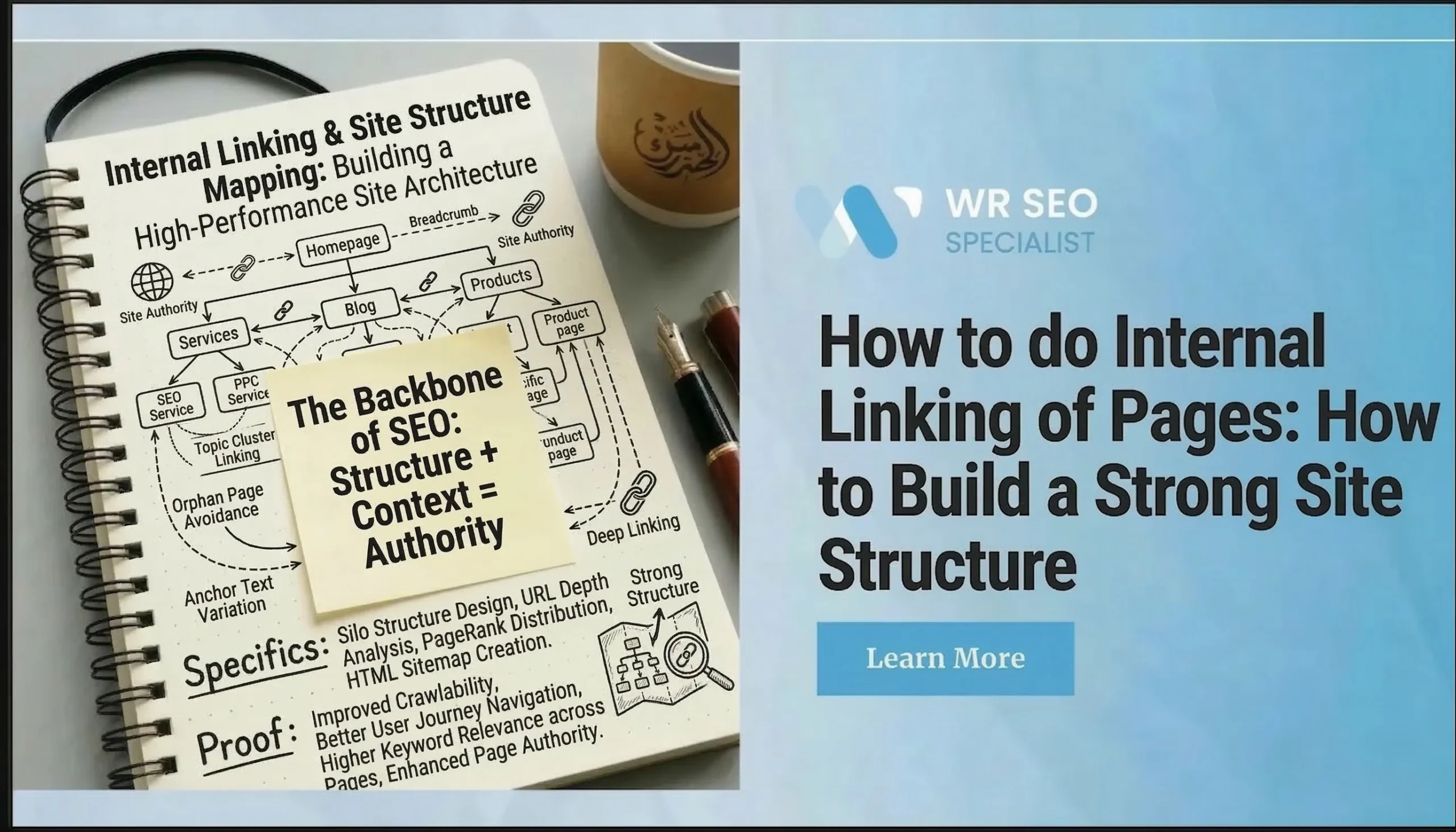
How to do Internal Linking of Pages: How to Build a Strong Site Structure
A page can be useful, well written, and still stay buried. That happens when nothing important points to it.
That is the simple truth behind a lot of weak SEO results. Good pages do not always lose because the topic is bad. They often lose because the site gives them no path. Internal linking of pages helps people move through your website, and it also helps search engines find and understand what matters. Google says links help it discover new pages to crawl and use anchor text to understand the linked page better.
Most guides treat internal links like a quick SEO tweak. The bigger win starts earlier. It starts with site structure. Once the structure is clear, links stop feeling random. They start working like signs on a clean road.
In this guide, you will learn what internal linking is, how site structure shapes it, where links should go, and which mistakes quietly make pages hard to find.
What Internal Linking Really Means on a Real Website
Internal linking means linking one page on your website to another page on the same website.
The job is simple. First, it guides visitors to the next useful page. Second, it helps search engines find pages and connect ideas across your site. A blog post about roof leaks can link to a roof repair service page. A product category can link to a subcategory. A help article can link to a service page or contact page.
This is not only a blog tactic. Internal links belong on service pages, product pages, category pages, support pages, and even homepages.
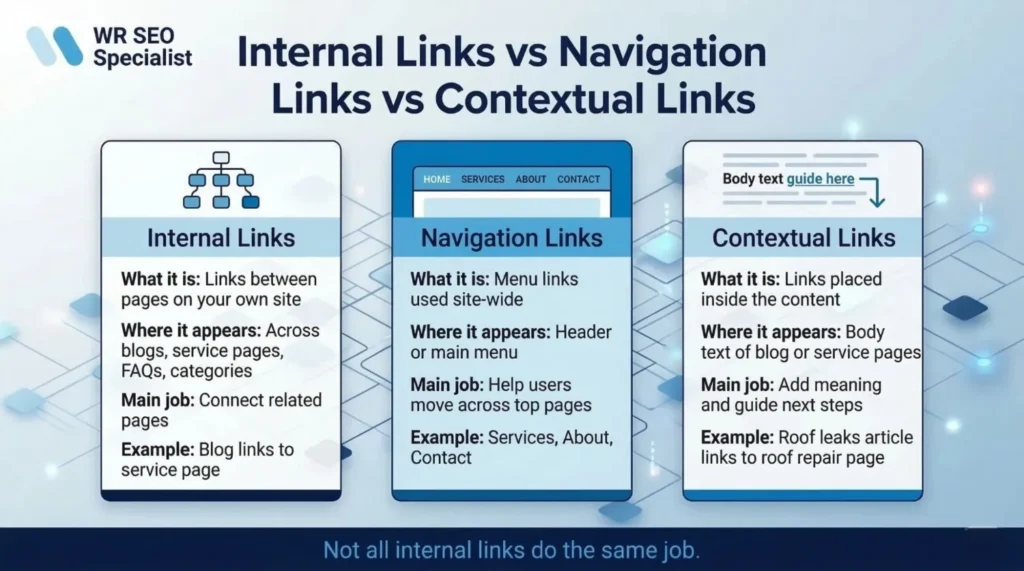
Internal links, navigation links, and contextual links explained
These terms sound similar, but they are not the same.
Internal links are any links that point to another page on your own site. Navigation links are the menu links people use to move around the site. Contextual links are links placed inside the body of the content where they fit naturally.
A menu link to “Services” is navigation. A sentence inside a blog post that links to “roof repair costs” is a contextual link. Both are internal links, but they do different jobs.
Why internal linking matters for SEO and user experience
Good internal linking makes a website easier to understand for both people and search engines. That is where internal linking of pages becomes more than a technical task.
On the SEO side, it helps search engines find pages, understand which pages matter, and connect related topics through clear anchor text. On the user side, it cuts dead ends, helps people find answers faster, and moves them from learning to action without forcing the next step.
If someone reads a page and has no clear next move, the page stops helping. A strong internal link fixes that.
How internal links support crawlability and page discovery
Crawlability means search engines can move through your site and find pages. Links are part of that path.
When pages are not linked well, they become harder to find. They may get less attention, fewer visits, and weaker support from the rest of the site. This is why internal links work best when the site structure is already clear. A messy site creates messy paths.
How To Do Internal Linking Across Different Page Types
Different pages need different linking jobs.
A blog page should often point to a service page, category page, or deeper guide when the reader is ready for the next step. A service page should link to related services, FAQs, case studies, or contact pages. A category page should guide shoppers into subcategories or product pages. A homepage should link to the top pages that matter most. A support or FAQ page should answer the question, then point to the page that solves the problem.
Here is the easy rule: every important page should receive links and give useful links.
For a blog-to-service link, place the link where the reader naturally starts wondering what to do next. Use anchor text that sounds like the actual topic, such as “roof repair service” or “book a kitchen remodel estimate.” For service-to-service links, keep the relationship clear. A plumbing page can link to drain cleaning. A local SEO page can link to Google Business Profile optimization. For category-to-subcategory links, keep the path obvious so people do not get lost.
What Website Structure Really Is and Why It Matters
Website structure is the way your pages are organized and connected.
It is bigger than the menu. It includes hierarchy, categories, subpages, and the way pages support each other. A strong structure feels like a tidy store. You know where things belong, and you can get to the important areas without walking in circles. A weak structure feels like boxes stacked in random corners.
Google’s SEO Starter Guide says SEO helps search engines understand your content and helps users find your site and decide whether they should visit it. It also notes that Google is a fully automated search engine and finds pages through crawling, which is why a clear, organized site makes discovery and navigation easier.
Why Site Structure Should Come Before Internal Linking
If the structure is messy, internal links become a patch job.
That is the big point. Links work better when page relationships are already clear. When the structure is weak, site owners start adding extra links just to compensate. That creates clutter, not clarity.
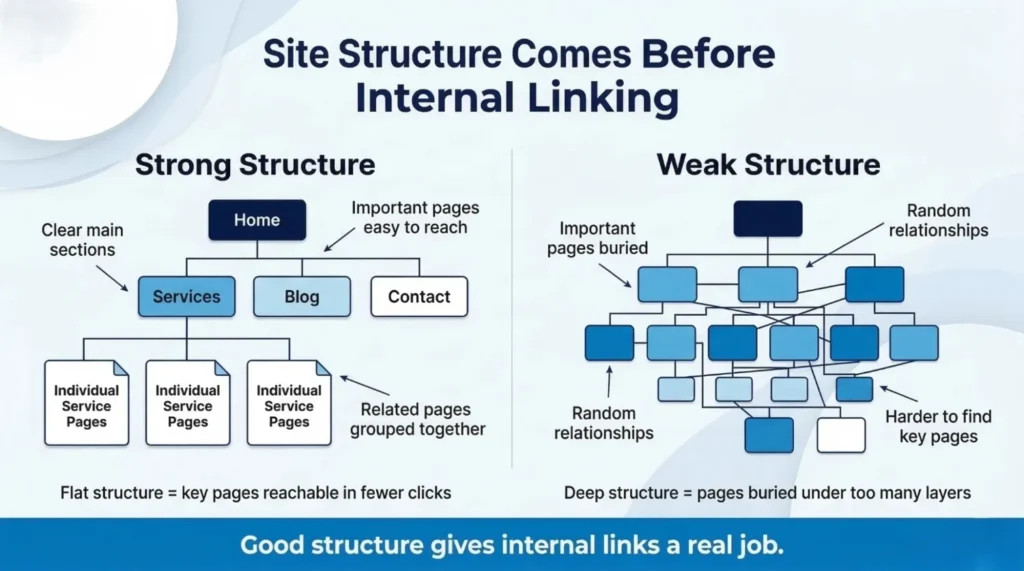
A smarter order looks like this. First, decide the core sections. Next, define page hierarchy. Then mark your key money pages. After that, add internal links that support those relationships
What a strong site structure looks like in simple terms
A strong structure has clear main sections, logical categories, important pages that are easy to reach, and related pages grouped together.
A simple service business structure might look like this:
Home, Services, individual service pages, Blog, Contact.
That is enough to create order. The point is not to make the site fancy. The point is to make it easy to understand.
Flat vs deep site architecture in beginner-friendly terms
A flat structure means key pages are reachable in fewer clicks. A deep structure means pages are buried under too many layers.
When a site gets too deep, important pages start feeling hidden. Users get tired. Search engines get weaker signals about what matters most. Your best pages should not feel buried.
You do not need to obsess over an exact click count. Just make sure your top pages feel close, not tucked away in a maze.
How page hierarchy helps users find key pages faster
Hierarchy means some pages act like parents and some act like children. A services page can lead to individual service pages. A category page can lead to subcategories. A city page can lead to local service pages.
This helps users know where they are, why pages feel related, and which click should come next. It also helps make your site feel calm instead of chaotic.
Best Practices For Adding Internal Links That Feel Natural
Good internal links should help the reader first. If they feel forced, they usually are.
Use descriptive anchor text that sets clear expectations
Anchor text is the clickable words in a link. Those words should tell the reader where the link goes.
“Roof repair costs” is clear. “Local SEO checklist” is clear. “Click here” and “read more” are weak because they hide the destination.
Strong anchor text helps users feel confident about the click. It also gives search engines more context.
Add links where they feel natural in the content
A link should appear where the next page truly helps.
That often happens right after you define a topic, mention a service, answer a common question, or explain the next step. The link should feel like part of the sentence, not something forced into it.
Do not jam a link into every paragraph. A page should guide, not nag.
Place important links higher on the page when useful
Sometimes a link near the top helps users faster. If a blog intro mentions a service that solves the problem, a useful link near the top can save time. If a service page mentions a quote form or pricing guide early, that can help too.
The point is not “always place links high.” The point is “place them where they help most.”
Link related pages instead of random pages just to add links
Relevance matters. A blog about kitchen remodelling can link to kitchen design services. A service page can link to a related FAQ. A category page can link to a subcategory. Those feel natural.
A random blog post linking to an unrelated service page just to add a link feels weak. So does stuffing unrelated footer links into a paragraph.
Where Internal Links Should Be Placed Across a Website
Different placements do different jobs.
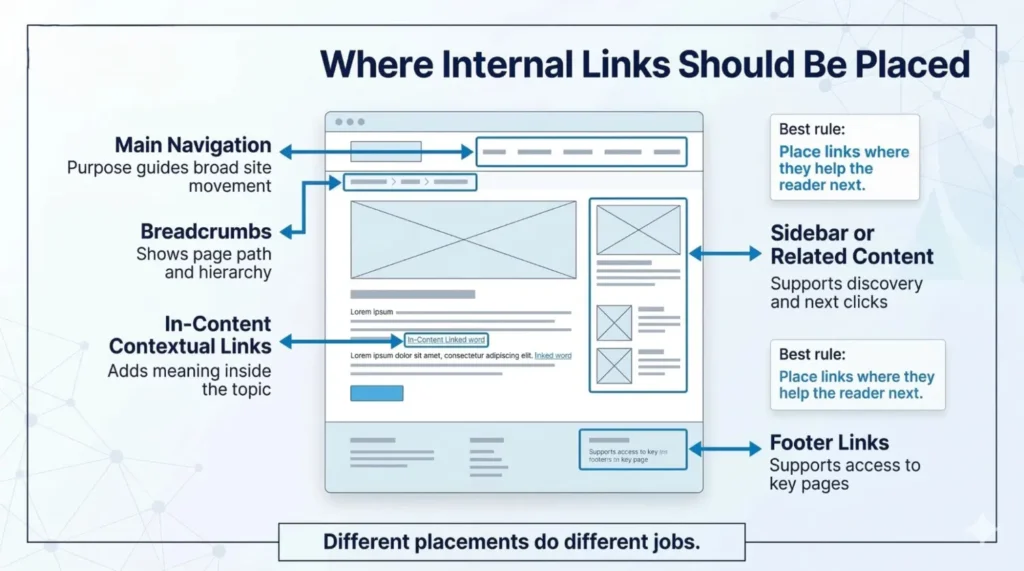
Main navigation links that guide the whole site
Main navigation should point to the most important top-level pages. Services, products, about, and contact are common examples.
Navigation is for broad movement. It should not try to hold every page on the site.
Sidebar and related-content sections that guide next clicks
Sidebars and related-content boxes can help people discover more pages, especially on blog pages, resource hubs, and knowledge-base sections.
These sections work best when the links are actually related. Auto-filled junk blocks usually create noise, not help.
In-content contextual links that add real meaning
Contextual links are often the strongest because they sit inside the topic itself. They usually feel more helpful than boilerplate blocks because they show up at the right moment.
If a page says, “Learn more about service-area pages,” that is a contextual link with purpose. If it says, “See our internal linking checklist,” that helps the reader move deeper.
Breadcrumbs that show page position and path
Breadcrumbs are small path links that show where a page sits in the site structure.
They help users understand where they are and how to move back up the site. Google’s breadcrumb documentation says a breadcrumb trail shows a page’s position in the site hierarchy and can help users explore a site effectively, one level at a time.
Footer links that support access without causing clutter
A footer can hold useful support links like contact, top services, locations, and policies. That is helpful.
What a footer should not become is a giant dumping ground for every page on the site. Too many footer links can turn a helpful safety net into visual clutter.
Common Internal Linking Mistakes That Quietly Hurt Websites
Internal linking problems often stay hidden until pages stop getting attention.
Using vague anchor text that says nothing useful
“Click here” does not tell the reader where they are going. “Learn more” is too weak on its own. Better anchor text creates clearer expectations and better paths.
Adding too many links on one page without a purpose
Too many links can make a page feel busy and scattered. Instead of guiding, the page starts overwhelming. A useful page should feel focused.
Creating orphan pages that nothing important points to
An orphan page is a page with little or no internal links pointing to it. That makes it harder for users to find and harder for search engines to discover naturally.
If a page matters, point something important to it.
Linking only to blog posts and ignoring money pages
This is a common mistake. Blogs get all the links. Service and product pages stay weak.
The fix is simple. Use blog traffic to support service pages, category pages, and conversion pages. Let your informational content feed your business pages.
Building a structure that buries pages too deep
When pages sit too deep in the site, they become easier to ignore. This often happens when the site grows without a plan.
A strong structure keeps top pages easy to reach and makes the rest feel connected, not buried.
Final Note
You do not need to rebuild your whole website in one day.
Start small. Map your core sections. Identify your top pages. Add contextual links from strong pages. Fix orphan pages. Clean up vague anchor text.
Then watch what happens. Search Console’s Performance report shows clicks, impressions, average CTR, and average position, which makes it a good place to check whether important pages are getting more visibility over time.
The big idea is simple: site structure gives the map, and internal links create the paths.
If your site feels scattered, WR SEO Specialist can help turn it into a structure that makes sense, supports your money pages, and gives every important page a clearer path to be found.
FAQs
How many internal links should a page have?
There is no fixed number. A page should have as many as it needs to guide the reader well, without feeling crowded or random.
How many internal links should a page have?
There is no fixed number. A page should have as many as it needs to guide the reader well, without feeling crowded or random.
Should every blog post link to a service page?
Not every time, but many should. If the service page is a natural next step, that link can help both the reader and the business.
What is an orphan page in simple words?
It is a page that almost nothing links to. That makes it easy to miss.
Are breadcrumbs worth using on small websites?
Yes, when the site has clear sections and subpages. They help users understand location and move back up the structure.